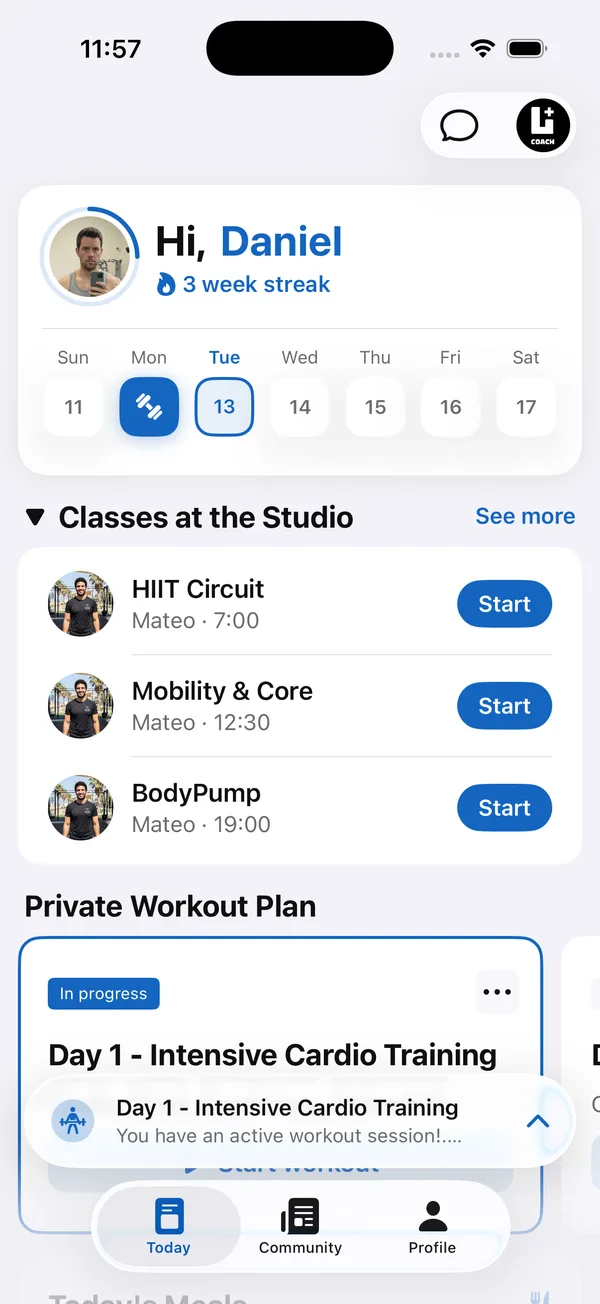
Plenty of coaching tools promise a white label fitness app. In practice that ranges from your logo in a corner of their app to an app that carries your name, icon and colors from the home screen to the last set of a workout.
This guide breaks down what a white label fitness coaching app should actually include, what it costs, whether it reaches the App Store, what to check before you commit, and how to set it up so it looks right from day one. It applies whether you call it a white label personal trainer app, a white label coaching app or a branded gym app.
What is a white label fitness app?
A white label fitness app is one your clients see as yours. They download it, find your icon on their home screen, open it to your launch image and train inside your colors. The software company stays in the background.
If clients download an app with another brand’s name and then search for you inside it, that’s a marketplace, not a branded app.
What is a branded client app for personal trainers?
A branded client app for personal trainers is the app your clients train in, shown under your name, icon and colors. Clients open it to see today’s workout, log each set, send a check-in and message you, while you manage everything from one coach dashboard. For clients, the app is your business, not a tool you happen to use.
For fitness coaches, the test is simple: if a client would describe it as “my coach’s app”, it’s branded. In Coach+, every plan includes a branded web app, and the Ultimate plan adds native iOS and Android apps under your brand. See the Coach+ branded app
What can you brand in a white label app?
Four things: the app name and icon, your colors in light and dark mode, the launch image, and a contrast level that keeps all of it readable.
- App name and icon. The name under the icon is what clients read every day. Pick a short version of your brand that fits without getting cut off.
- Your colors, in light and dark mode. Many clients keep their phone in dark mode. A brand color that works on white can disappear on black, so you need a version for each.
- A launch image. It fills the screen for a second while the app opens. A photo of you or your studio does more than a generic loading screen.
- Readable contrast. Buttons and text in your color have to be easy to read. The common web accessibility standard, WCAG AA, asks for a contrast ratio of at least 4.5:1 for normal text.
What features should a white label fitness coaching app include?
A white label fitness coaching app should include what clients actually use between sessions, not just a logo. A logo doesn’t keep clients, so an app is worth branding only if the daily essentials live inside it. See how Coach+ works as a branded app for fitness coaches.
- Today’s workout, with sets, reps and weights they log as they train.
- Check-ins with progress photos and weight.
- A direct chat with their coach.
- Something social, so training doesn’t feel like a solo job.
If clients still need WhatsApp for questions and a spreadsheet for their numbers, the branded app is just a cover page.
How do you choose the best white label fitness app?
Pick the one that gives clear answers to five questions: how clients download it, who controls the branding, whether their data reaches your dashboard, how clients join and whether a team can use it.
- 1Is it an app with my name, or a profile inside theirs?Ask to see how a client downloads and opens the app, from start to finish.
- 2Can I change my branding myself?Colors, icon and launch image should be things you update from your dashboard, not support tickets.
- 3Does my dashboard see the same data?Every workout a client logs should show up on your side, with no exports or copy-pasting.
- 4How do clients join?The best answer is a download link and a short username you can paste into a WhatsApp message or your Instagram bio.
- 5Can a team work in it?If you plan to add coaches, check that each one gets their own login and that branding stays with the owner.
How much does a white label fitness app cost?
With a white label platform you pay a monthly subscription instead of a development project. In Coach+, your branded web app is included on every plan: Essentials at $39 a month for up to 10 clients, Growth at $89 for up to 45 and Ultimate at $199 for up to 150.
When you compare prices, check what the monthly fee actually covers. Ask whether the branded app costs extra, whether workout logging, meal plans, check-ins and chat are included, and how the price changes as you add clients.
Will a white label app be in the App Store and Google Play?
It depends on the platform and the plan, so ask before you sign up. In Coach+, every plan includes a branded web app that clients open straight from their phone, and the Ultimate plan adds native iOS and Android apps under your brand.
A web app is enough for most solo coaches starting out: clients open it with your name, icon and colors, and log workouts in it the same day. Native apps in the stores matter more once you run a bigger roster or a studio with several coaches.
What do you need to set up a branded app?
You need four things ready before you start: a square logo, 512×512 pixels or larger, a portrait photo for the launch image with the important part in the center, your main brand color as a hex code, and a short app name. With those in hand, setup is mostly choosing and checking.
Then open the app on a real phone and look at it in both light and dark mode before you invite a single client.
How Coach+ handles branding
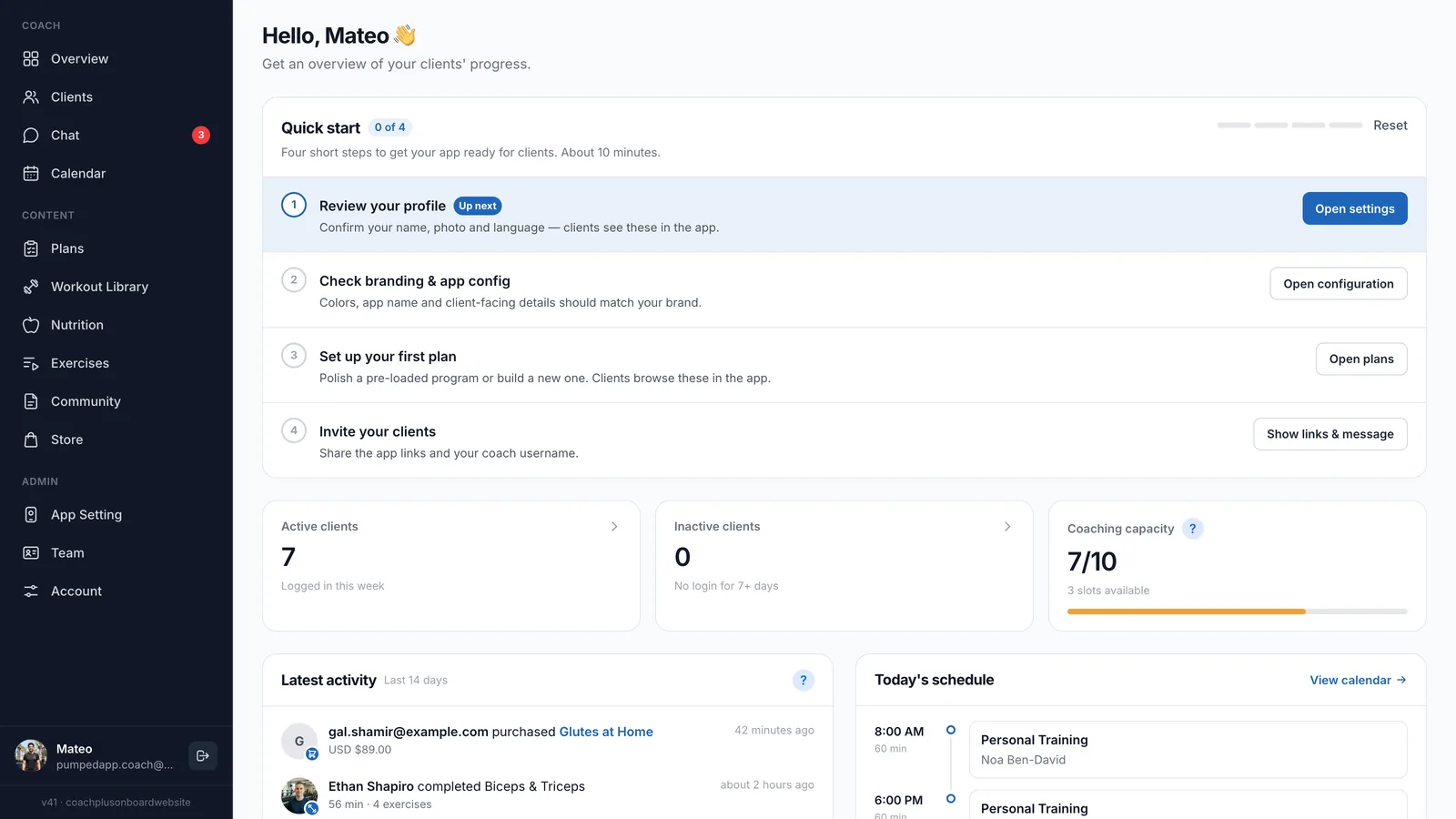
With Coach+, you run your business from the coach dashboard and every client gets your own branded app, connected to it. You and your clients each have your own app, and everything lives on the Coach+ coaching platform, so what clients log shows up on your dashboard.
- Theme colors for light and dark mode, from 11 presets or your own hex codes, with a readability check against white.
- Your app name, app icon and launch image, all changed from App Setting in the dashboard.
- Inside the app: programs clients log set by set, check-ins with progress photos and weight, chat with you, and a community feed where finished workouts are posted automatically.
- A ready invite message with the App Store and Google Play links and your coach username, to paste into WhatsApp or your bio.