A personal trainer client tracking spreadsheet is where most coaches start, and plenty of good coaches still run their whole business on Google Sheets. It’s free, it’s flexible and you already know how to use it. So the coaching app vs spreadsheet question isn’t about which is better in general. It’s about which is better for you, at your current number of clients and the way you coach.
This guide is a fair comparison. It covers when a spreadsheet is the right choice, where it starts to cost you time, and how the Coach+ coaching platform handles the same work, including what it doesn’t do.
Is a client tracking spreadsheet enough for a personal trainer?
For many trainers, yes. If most of these describe you, a spreadsheet is probably fine for now, and paying for software won’t change much:
- You coach a handful of clients. With a few people, keeping a sheet per client up to date takes minutes, not hours.
- You train clients in person. You stand next to them and write the log yourself, so you don’t depend on them logging on their phone.
- You’re still testing online coaching. Before you know whether you want to do it long term, keep costs at zero.
- You don’t plan to sell programs. If coaching is only one-on-one, you don’t need a store or a way to deliver plans at scale.
What should a personal trainer client tracking spreadsheet include?
A personal trainer client tracking spreadsheet works best with one file per client, split into a few tabs, and one row for every logged set. A simple structure:
- 1Client tabname, goal, start date, injuries and notes.
- 2Training logdate, workout, exercise, set number, reps, weight and a short comment.
- 3Check-insdate, body weight, a link to progress photos and the client’s answers.
- 4Summarylast workout date and sessions this week, so you can spot who went quiet.
What are the downsides of Google Sheets for personal trainers?
The main downsides are awkward logging on a phone, one file per client, no view of who trained, and everything else living in other apps.
- Logging mid-set on a phone. Tiny cells, zooming and scrolling between sets. Many clients stop logging, or log everything at the end from memory.
- One file per client. Every program change means opening and editing each client’s copy. Improving a template doesn’t update the sheets you already sent.
- Nothing tells you who trained. You only find out a client skipped the week when you open their sheet, if you open it.
- Everything else lives somewhere else. Progress photos in WhatsApp, meal plans in a PDF, questions in DMs. The sheet holds only part of the picture.
- It looks like a spreadsheet. For clients paying premium rates, a shared Google Sheet can feel less professional than what they expected.
Coaching app vs spreadsheet: how do they compare?
A spreadsheet wins on flexibility and cost, and an app wins on logging, keeping everything in one place and how it looks to clients. Area by area:
- Programs. Spreadsheet: total freedom in structure, formulas and notes, but one copy per client to maintain. Coach+: you build plans in a plan editor with an exercise library and assign them from the client’s profile. Each client gets their own copy you can adjust without touching the original.
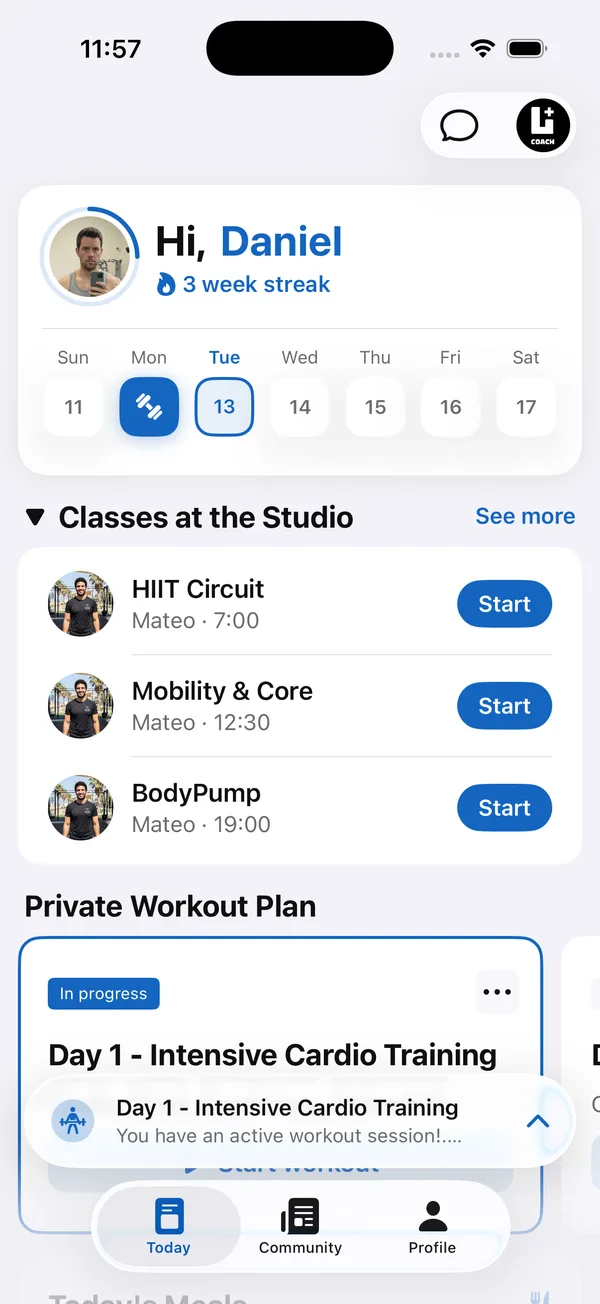
- Logging. Spreadsheet: clients type into cells, if they do. Coach+: clients open today’s workout in the app and log sets, reps and weight as they train. You see completed workouts and training volume per muscle group on their profile.
- Check-ins. Spreadsheet: weight in a column, photos sent separately. Coach+: clients upload progress photos with their weight from the app, and they appear together, newest first, on the client’s Check-in tab.
- Nutrition. Spreadsheet: works well if you already have a good template. Coach+: meal plans built from a 500-food database or one of 12 templates, with daily totals calculated for you and an AI assistant that suggests foods for a meal.
- Communication. Spreadsheet: none, so it happens on WhatsApp or Instagram. Coach+: one chat per client, opened from their profile. Messages from the dashboard are text only.
- Community. Spreadsheet: none. Coach+: a feed in your app where you post updates and where clients’ finished workouts are posted automatically.
- Branding. Spreadsheet: a Google file with your name at the top. Coach+: each client gets your own branded app, with your name, icon and colors, connected to your coach dashboard.
- Cost and time. Spreadsheet: free in money, paid in admin hours that grow with every client. Coach+: a monthly subscription with a fixed price per plan, not per client, plus some setup time to move your programs in.
What can a spreadsheet do that Coach+ can’t?
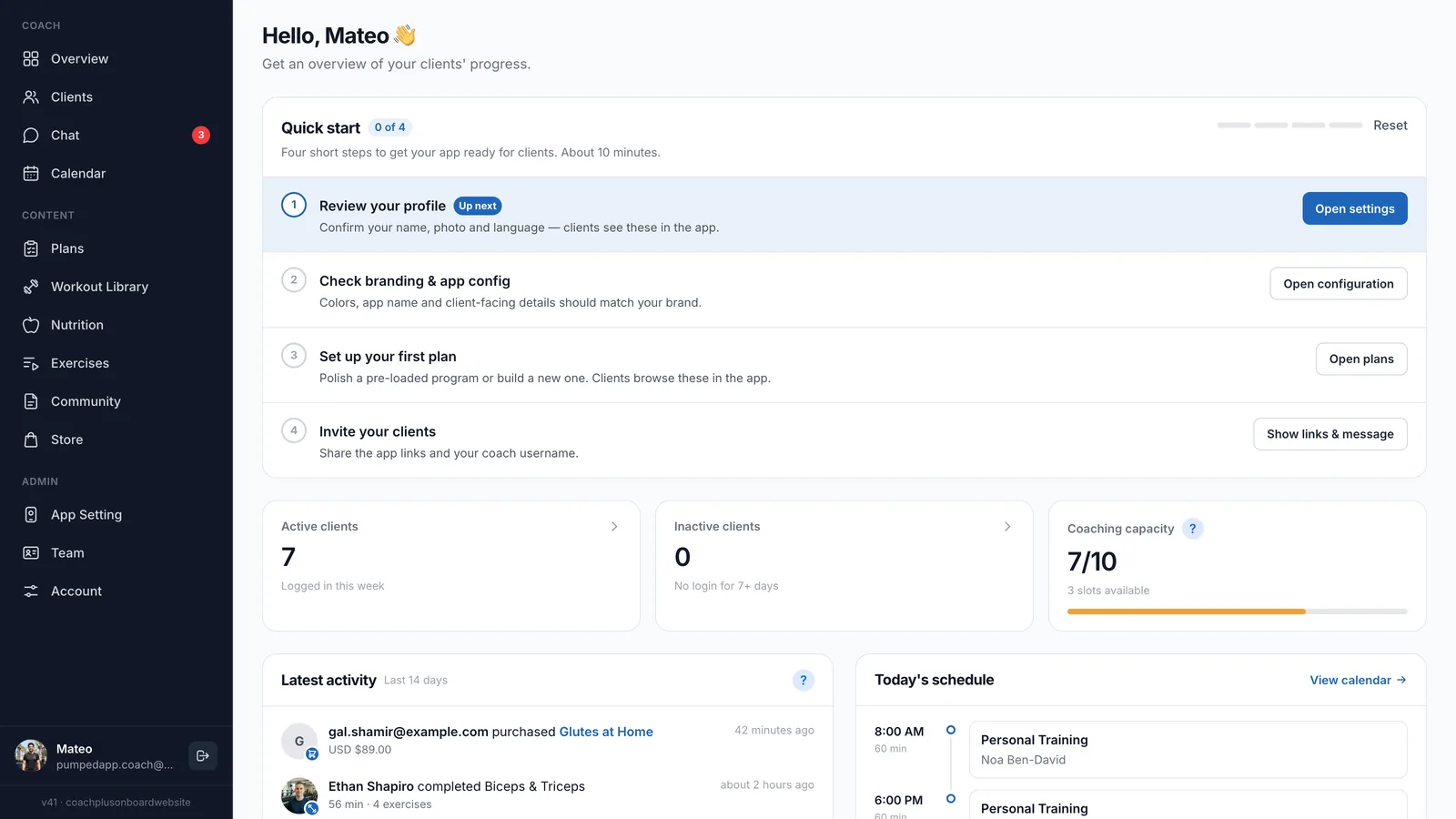
A spreadsheet is more flexible for custom formulas or unusual periodization schemes, and Coach+ won’t write your programming for you. New accounts come with starter plans, but your coaching is still your job. Some features, such as nutrition, chat, community and the Store, depend on the plan you choose. And moving over takes an afternoon or two of rebuilding your main programs.
When should you switch from a spreadsheet to an app?
Switch when admin time grows with every new client, when most logs come back empty, or when you plan to grow or sell programs. Four steps make the decision concrete:
- 1Count your admin hoursFor one week, write down the time you spend updating sheets, chasing logs and digging for photos. That’s the real cost of the free option.
- 2Look at how clients actually logIf most clients log every set, the spreadsheet works. If you mostly see empty cells, the problem is the format, not the clients.
- 3Think about the next 12 monthsIf you plan to double your clients or start selling programs, it’s easier to switch at ten clients than at forty.
- 4Test with a few clientsMove two or three clients first and run both systems side by side for a training block. Then decide with real experience instead of guesses.