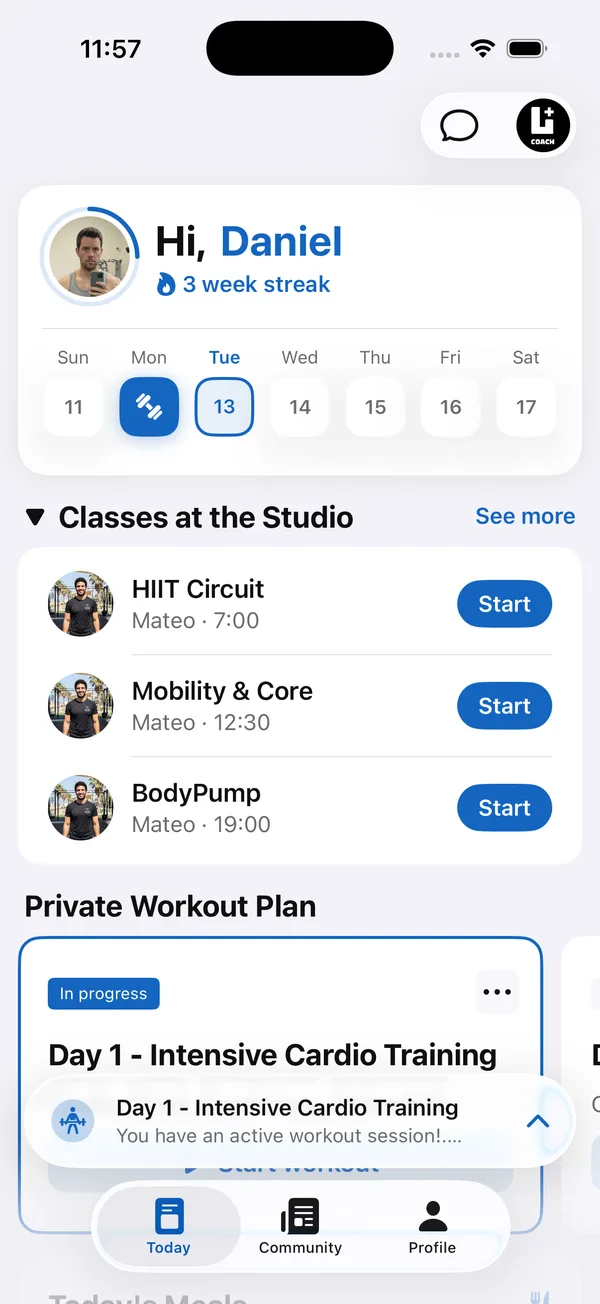
Most small studios don’t have a branded member app, so every trainer builds their own system. One sends programs as PDFs, another runs a WhatsApp group, a third has members download a free tracking app. Each one works on its own. Together, they turn one studio into five different experiences.
This guide shows what that patchwork costs a boutique gym, what a fitness studio app should include, and how to move the whole team onto one member app without losing what each trainer does well.
What does it cost when every trainer uses their own system?
It costs the studio a consistent member experience, its member history and any clear view of who is actually training.
- Members get a different studio from every trainer. A member who trains with two coaches gets two formats, two chats and two ways to log, and none of them carry your name.
- History leaves with the trainer. When a coach moves on, their members’ programs and progress sit in that coach’s phone. The next coach starts from zero.
- Nobody sees the whole picture. As the owner, you can’t tell who trained this week, who drifted away, or which coach is overloaded, without asking each one.
- Covering a session is guesswork. When a trainer is sick, the person filling in has no idea what the group did last week.
Does a small gym actually need its own member app?
A small gym needs its own member app once more than one trainer writes programs for members. Before that point, one coach with a spreadsheet and a chat can cope. After it, each trainer’s PDFs, chats and tracking apps become a separate version of the gym, and member history leaves whenever a trainer does.
A gym with one coach and members who only drop in for open-gym time can usually wait. A studio with a team, small group sessions or written programs is the one that gains most, because the app is where the shared programming, the weekly schedule and the member community live. How to run a studio with several coaches
What is a white label gym app?
A white label gym app is a member app built on a software platform but shown under the studio’s own name, logo and colors instead of the software company’s brand. The studio gets an app of its own without building one, and the platform runs the programs, logging and schedule behind it.
What should fitness studio software with a branded client app include?
Fitness studio software with a branded client app should give members one app with your name on it, and give coaches the same programs, schedule and member history. The goal isn’t more software. It’s one place that belongs to the studio, not to any single trainer.
- Your brand. Studio name, colors and logo on the app members open every day: a branded web app on every plan, native iOS and Android apps on the top plan.
- Shared programming. Workouts written once and used by every coach on the team.
- One weekly schedule. Members see this week’s sessions in the same app they train with.
- Clear roles. The owner controls the app and billing, coaches coach.
- A reason to stay. A shared feed where members see each other train builds the community a studio sells.
What software does a small gym need?
Software for small gyms usually comes in two parts. Gym management software runs the front of the business: memberships, door access, billing and point of sale. A branded member app runs the training: programs, the weekly schedule, workout logs and community. A small gym that writes programs for members needs the member app to keep people training, and many also keep a separate system for memberships and payments. Gym management app: what small gyms need
How do you move a small gym or studio onto one app?
Agree on one format with your coaches, build a shared workout library, put the schedule in the app, decide who owns what, and switch everyone on one date. Step by step:
- 1Agree on one way to deliver programsSit down with your coaches and pick the format together: how a workout is written, how sets and notes look, where members log. Coaches keep their style, the format becomes shared.
- 2Build a shared workout libraryStart with the sessions you run every week. Write each one once, with exercises, sets and coaching notes, so any coach can run it or hand it to a member.
- 3Put the schedule where members already lookIf members train from the app, the week’s sessions should be in the app too, not in a separate group chat that gets buried by Wednesday.
- 4Decide who owns whatBranding, app settings and billing sit with the owner or a lead coach. Everyone else gets full access to members, programs and chat, without changing how the app looks.
- 5Switch everyone on one dateAnnounce it in class, help members install the app at the front desk, and set a date after which programs only come through the app. Running old and new side by side for months keeps the old habits alive.
How Coach+ works for small gyms and studios
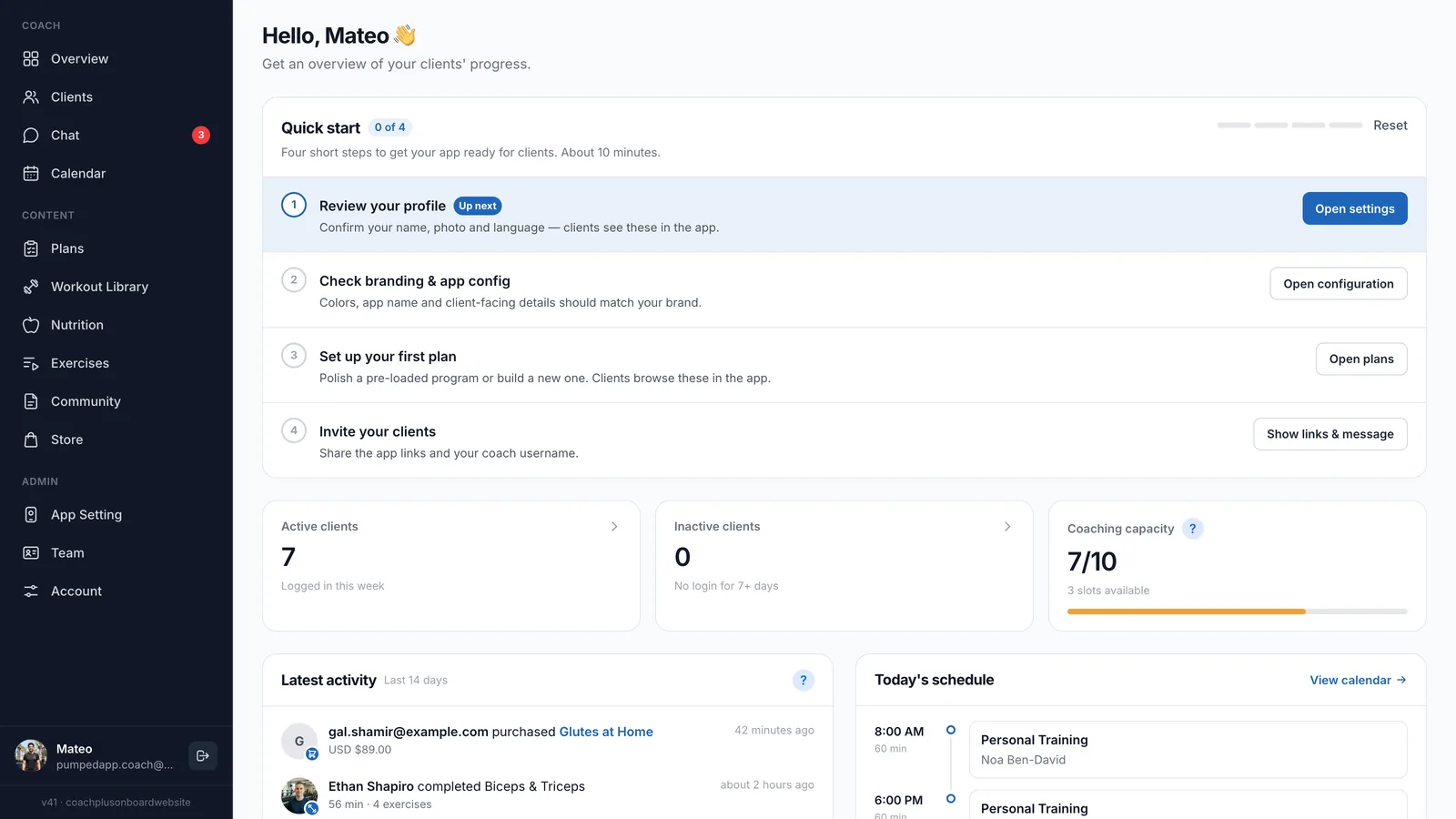
The Coach+ coaching platform gives your team one coach dashboard, and every member gets your studio’s own branded app, connected to it. Coaches, members and programs live on one platform.
- Your studio’s app name, colors, icon and launch image, set by an Admin.
- A Team page with Coach and Admin roles. Everyone works in the same dashboard, only Admins change app settings and billing.
- One Workout Library shared by the whole team, with a Schedule tab for the studio’s week depending on your plan.
- Challenges that send one workout to many members at once.
- Programs members log set by set, check-ins with progress photos and weight, and chat with each member.
- A community feed where finished workouts are posted automatically.
- Coach+ covers training, the team and the member app. It doesn’t handle door access, membership billing or point of sale.